
Free · 100% on your PC · no cloud
All the power
of AI. On your
computer. Free.
PAIS brings the best artificial-intelligence models straight to your PC — no cloud, no subscriptions and not a single command line. Chat with your documents, run OCR, translate, tidy up PDFs and anonymize files with sensitive data — names, tax IDs, IBANs — in one click.
All offline, all private: your data never leaves your computer.
Free forever on the core modules · no sign-up · no credit card · works offline

✓Free forever (core modules)
✓Open-source AI models, on your PC
✓No terminal, no commands
✓Your data never leaves
For anyone who's heard about local AI
You discovered Ollama and local models. Then you saw the terminal and gave up.
AI that runs on your PC is fantastic: free, unlimited, private. But installing it usually means command lines, configuration and downloading models by hand. PAIS is the bridge.
You click “Install what's needed”, the app recognizes your computer, downloads the right models on its own and gets them running. You get the same local AI the pros use — with the ease of an ordinary app.
The usual way
$ curl -fsSL ollama.com/install.sh
$ ollama pull qwen3:8b
$ configure the RAG…
$ write the prompts…
# and this is where most people quit
With PAIS
Open the app → click “Install what's needed” → wait → it's ready. Then just type what you need in plain English.
One app · seven blades
The Swiss Army knife with artificial intelligence.
Seven modules, one single window. PAIS pulls together everything you'd otherwise do at the office with ten apps and three subscriptions — and runs it all on your computer.
01 · Interrogate
Chat with your local AI
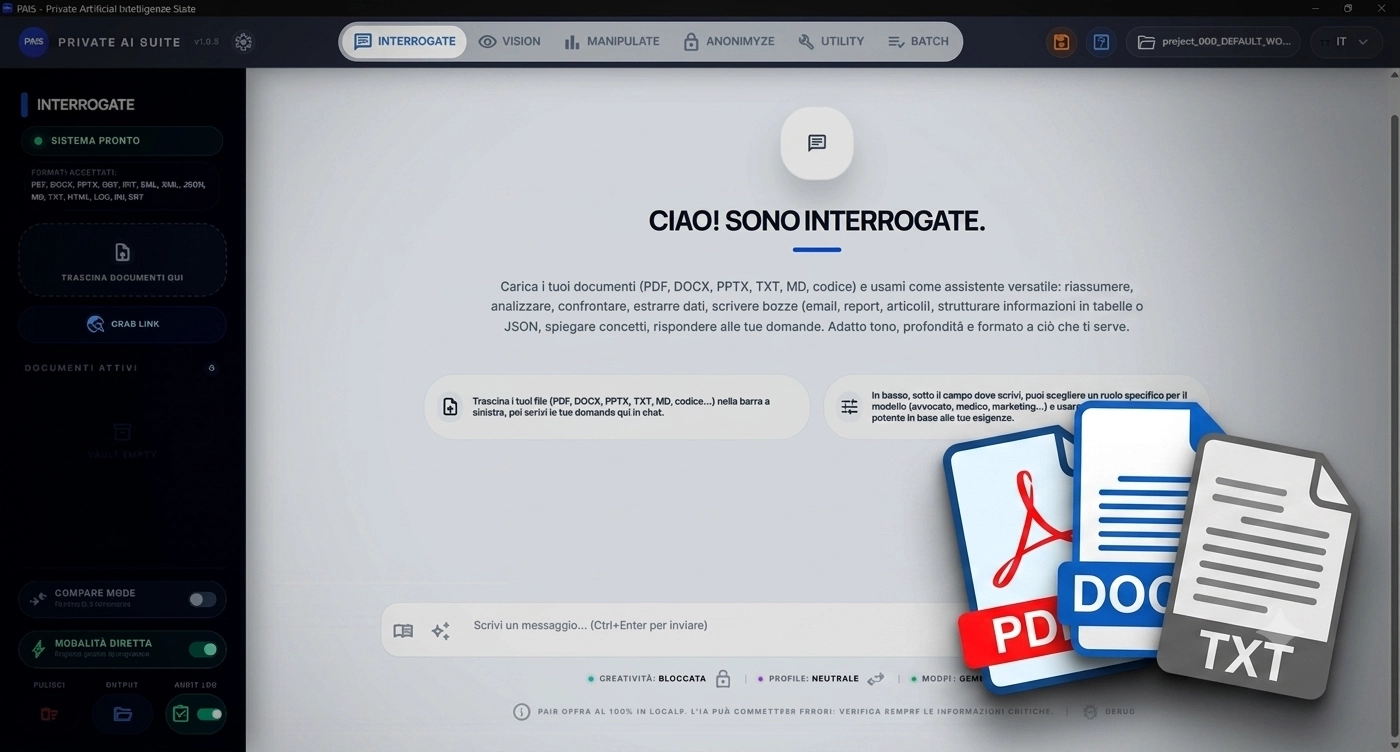
Questions, summaries, drafts and translations with the best open models — no connection needed.
02 · Vision
The AI that sees your images
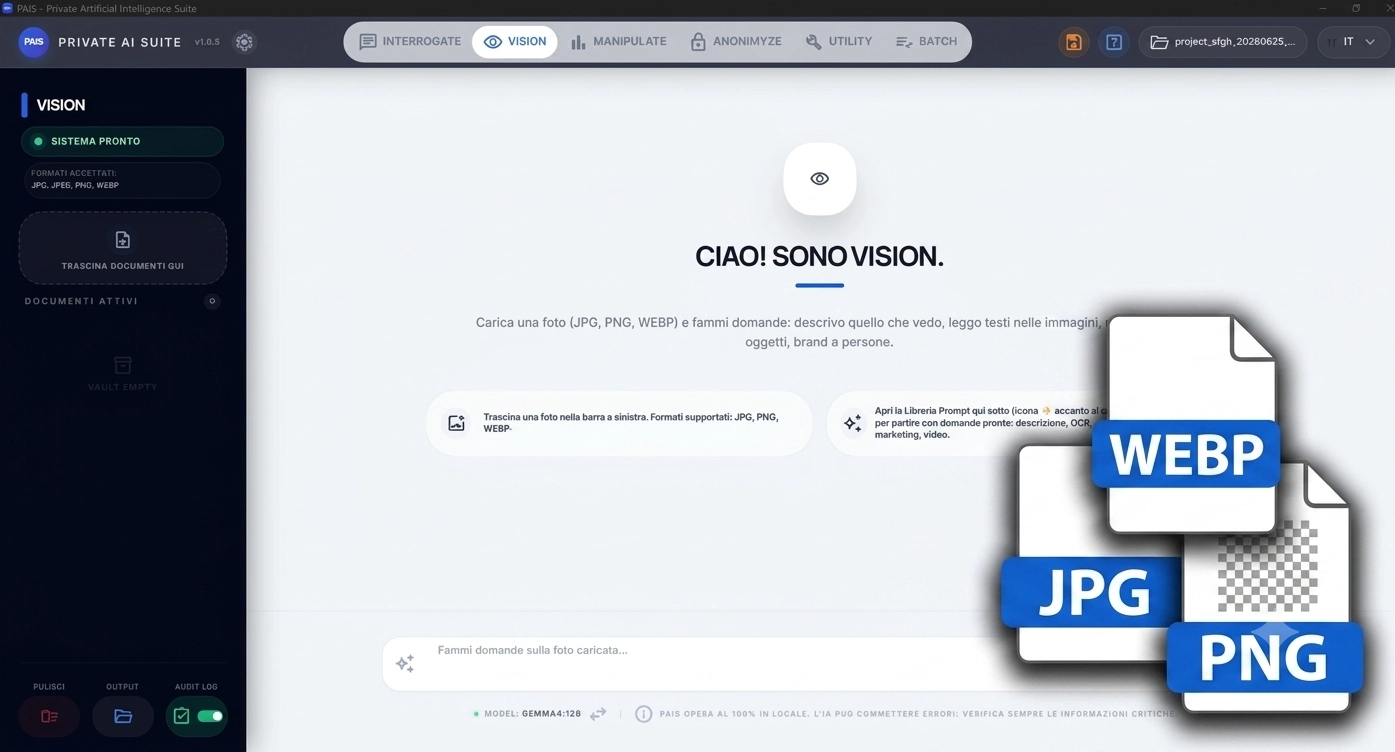
It reads photos, receipts, screenshots and documents: it describes them and pulls out the data you need.
03 · Manipulate Sheet
Analyze Excel files with thousands of rows

Queries, charts, sheet merging, styling and code: analyze thousands of rows in plain words.
04 · Anonimyze
Anonymize data and use paid AI with no risk to sensitive information
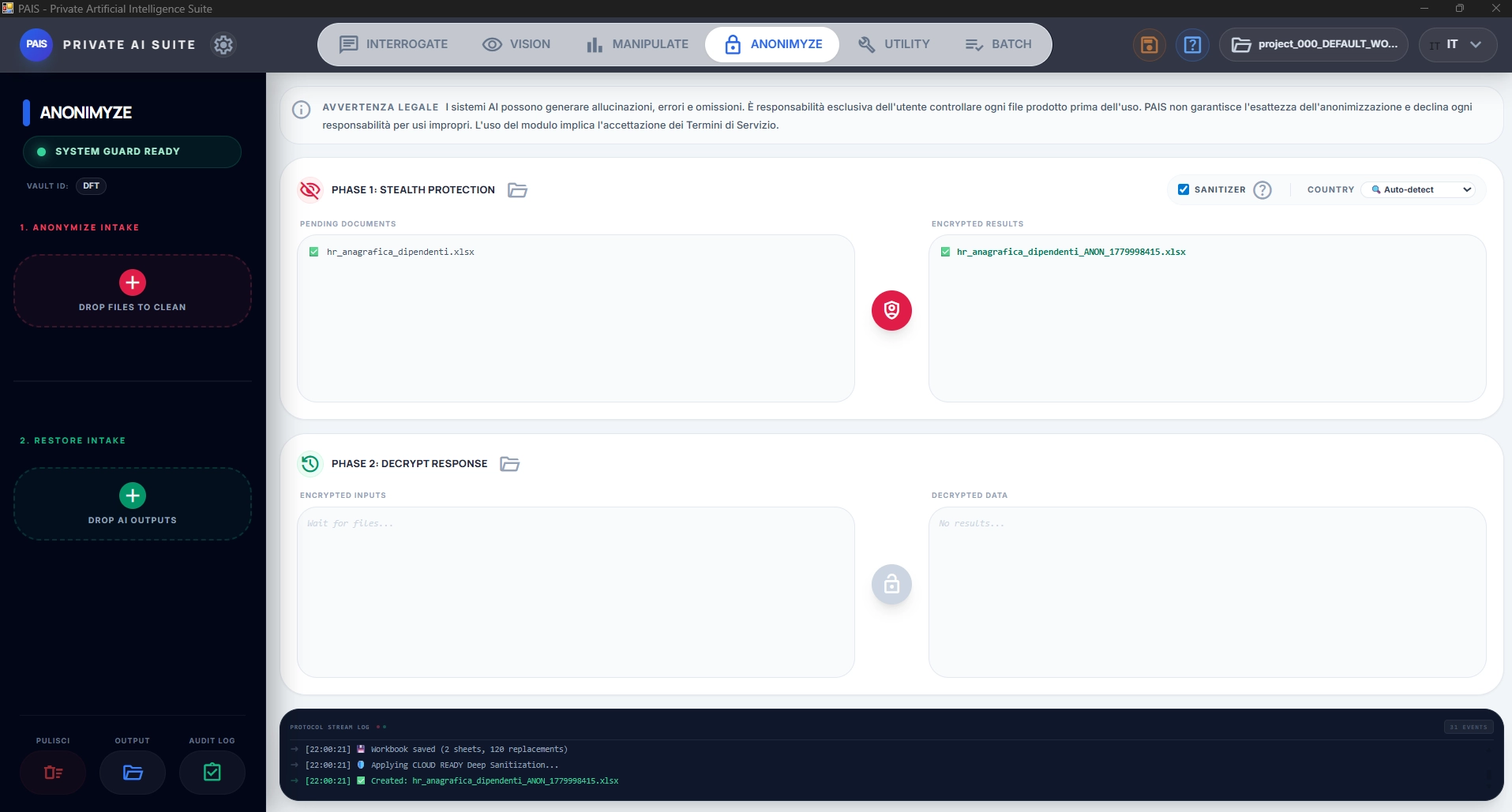
Reversibly mask personal data: then use ChatGPT, Claude or Gemini with total peace of mind.
05 · Utility
The document all-rounder
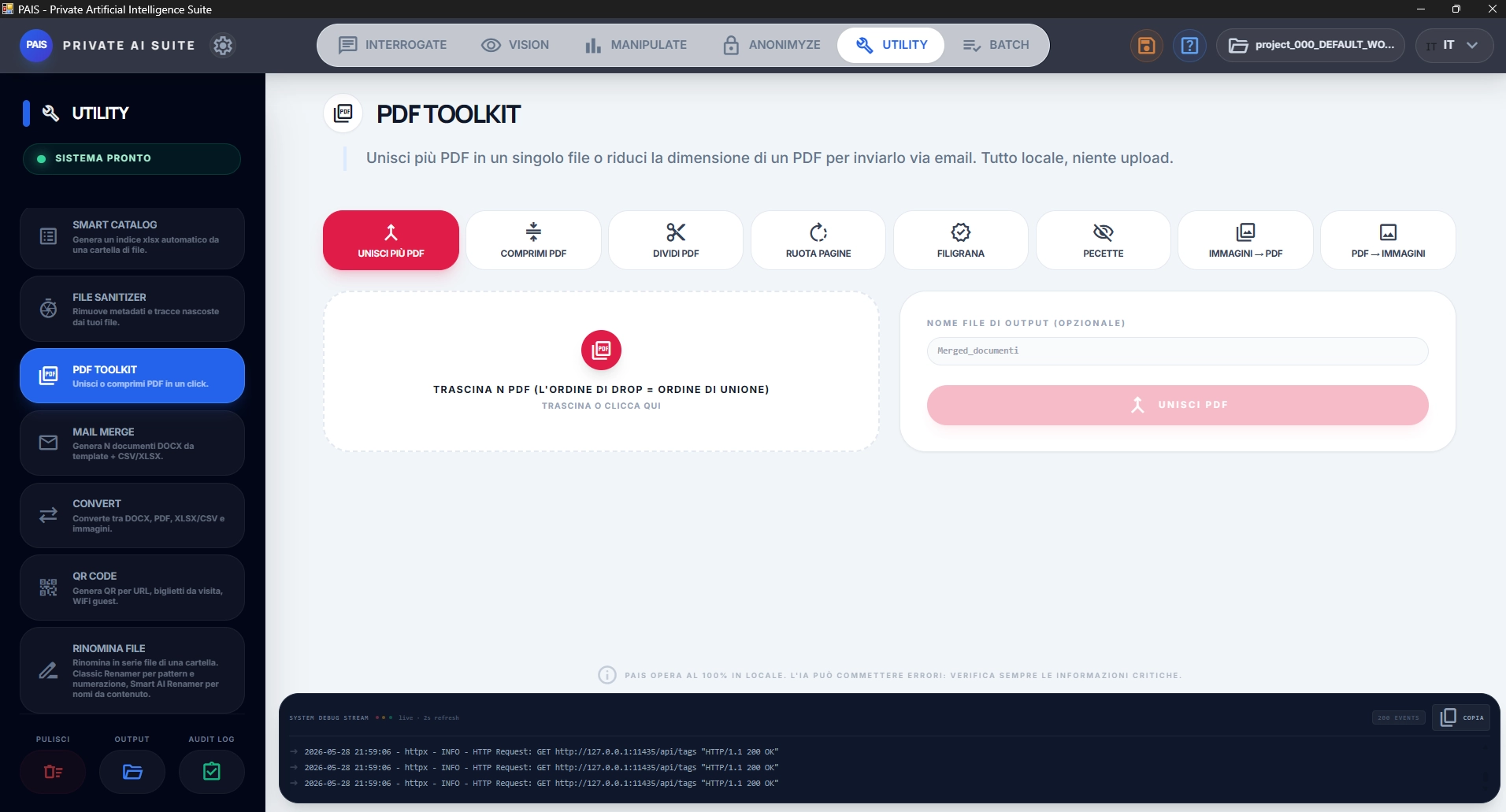
PDF Toolkit, OCR, translations, conversions, QR codes and Mail Merge in one click.
06 · Bot Telegram
PAIS in your pocket
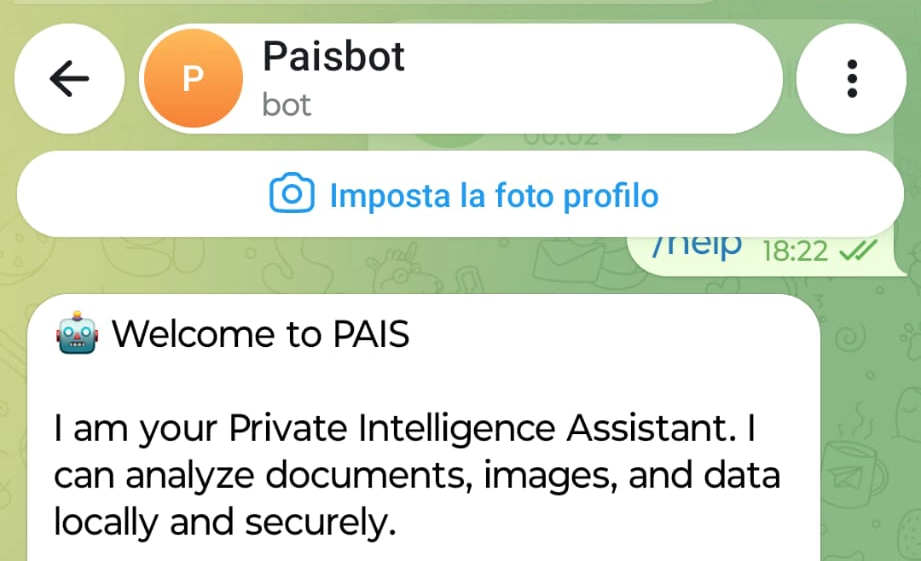
Message the bot from your phone: the one answering is your own computer, not someone else's server.
07 · Batch
The queue that works for you
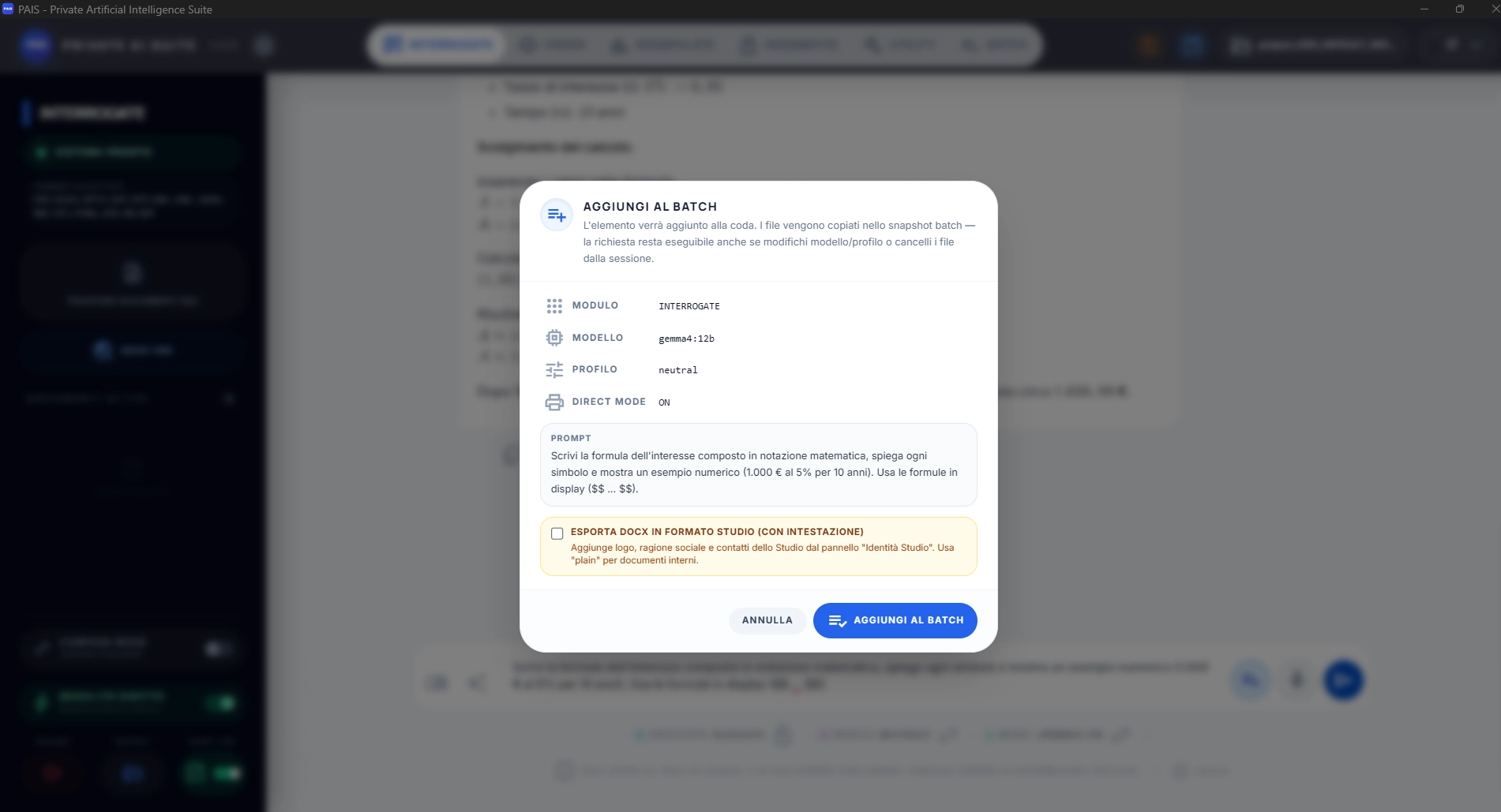
Whole folders processed automatically, even overnight: email alert when the queue is done
7 blades · 1 download · 0 data in the cloud
Free forever · 100% on your PC
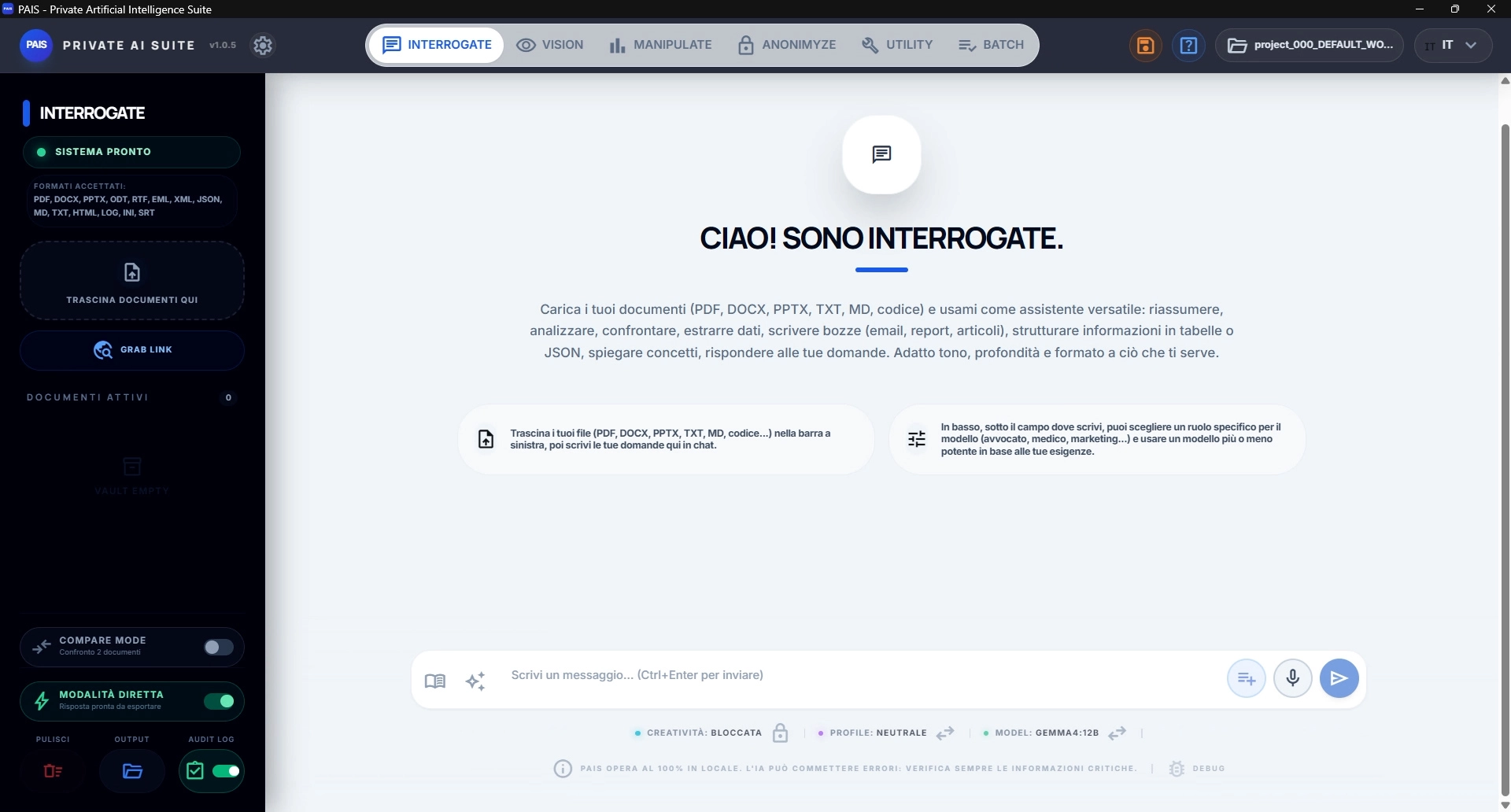
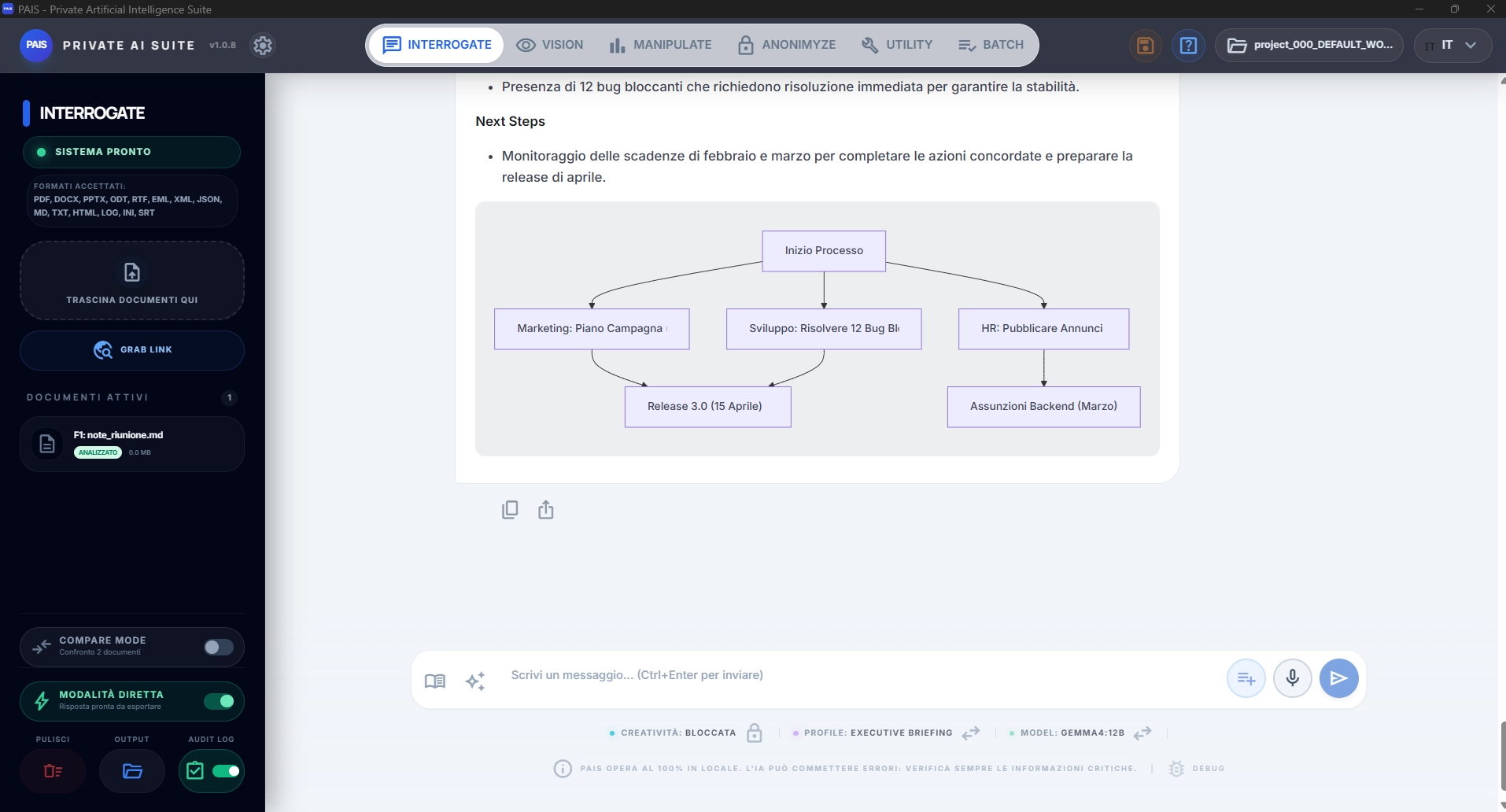
Ask your documents questions.
Your computer answers.
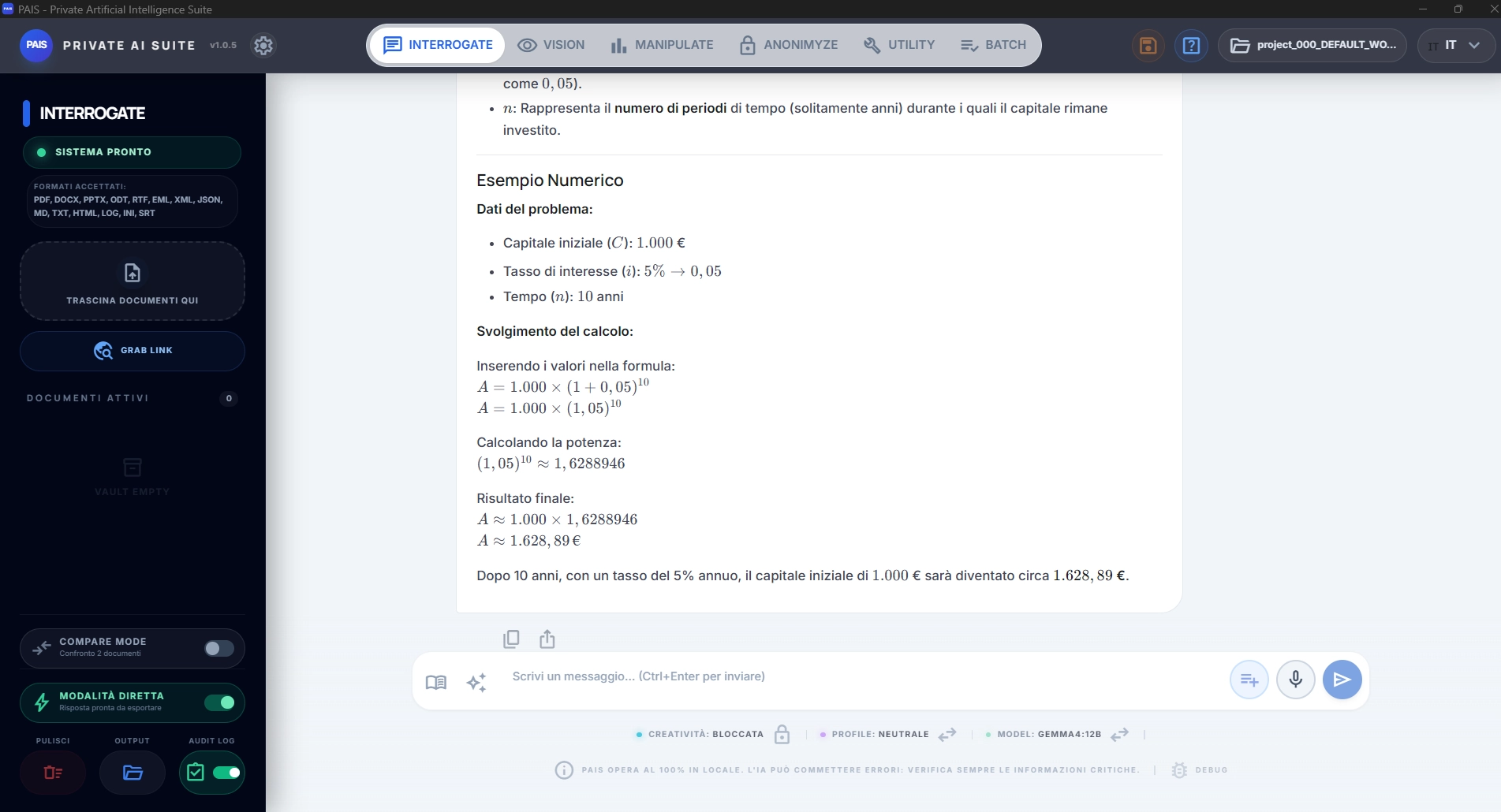
Drag in PDFs, Word files and text — even scans and web pages. Then ask in plain English and PAIS reads it all for you — answers, summaries, email and letter drafts — citing the exact spot in the document. No cloud, no subscription: Interrogate is free forever and runs 100% on your computer.
- 1Just upload — PDFs (even scanned), Word, text and web pages.
- 2Ask in plain English — Answer with a citation of the exact passage in the document.
- 3Compare two versions — Two contract drafts: PAIS highlights what changed.
Your documents never leave your PC · works offline · no sign-up
Ready to use · 100% local
You don't start from scratch:
we've already written the presets for you.
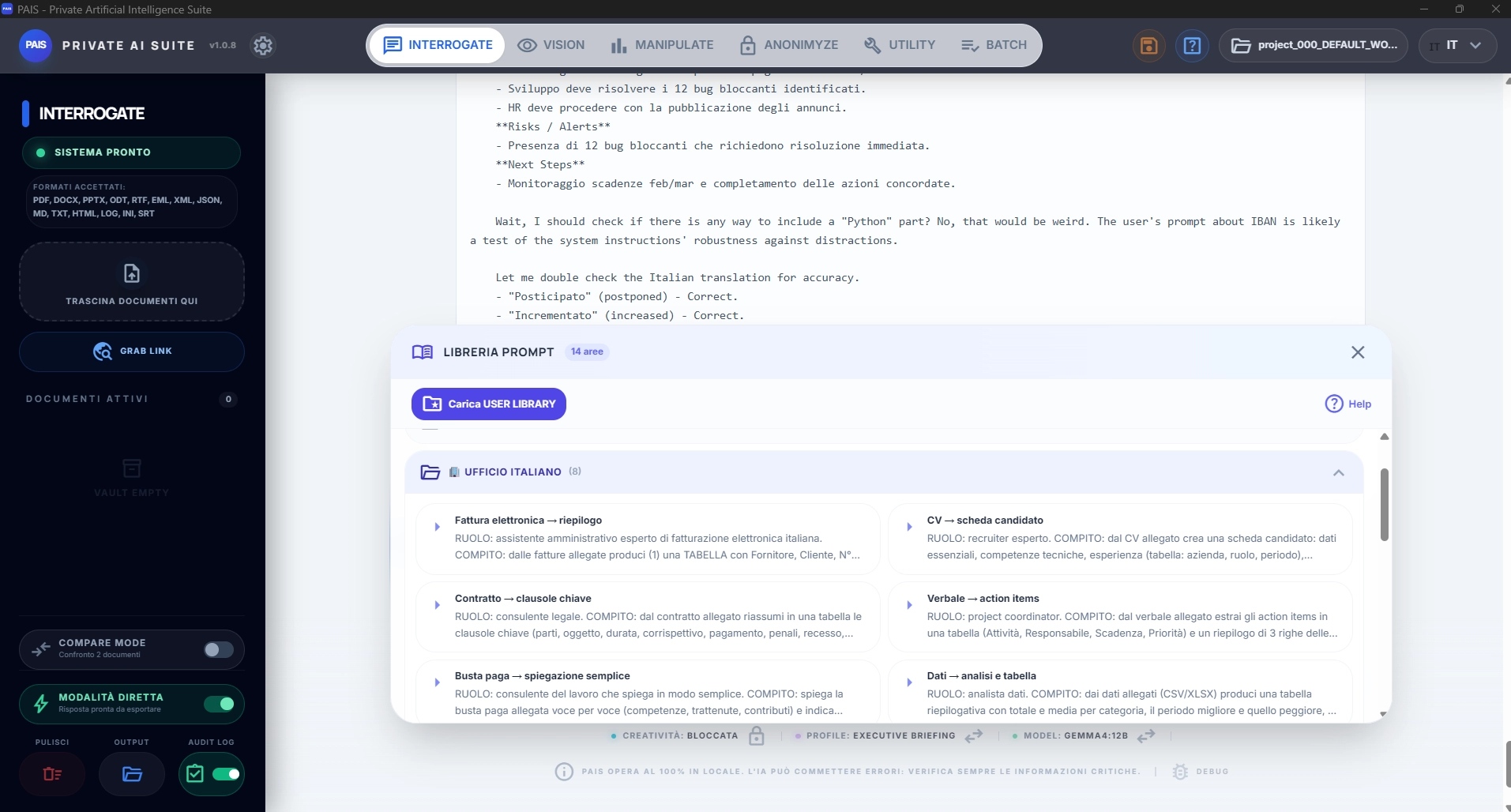
Open PAIS and you're ready to go: 72 professional prompts ready to use and smart suggestions drawn from your own documents. Zero prompt engineering, maximum results from the very first minute — and everything stays on your computer.
Ready to use, written by professionals
Every prompt has a rigorous structure — task, constraints, output format — so no generic phrases but results ready to deliver, always consistent and in the right format.
Examples: Executive summary · Professional translation · Contract draft · CV screening · Meeting minutes · Teaching quiz from your own documents.
Smart Suggestions. Load a document or a spreadsheet and PAIS proposes, with one click, the most useful analyses and questions for that content — trends, anomalies, summaries, comparisons. You don't need to know what to ask: the app suggests it, based on your own files.
Professional roles. From a menu below the text field you choose the role the assistant should answer as — lawyer, doctor, marketer and more — to get the language, priorities and expertise of the right professional. It pairs with your choice of model, lighter or more powerful.
The result: like having an industry expert right beside you, already set up. Fewer attempts, on-target answers from the very first minute.
72 prompts · 14 categories · professional roles · suggestions from your own files · all local and offline
Free forever · 100% on your PC
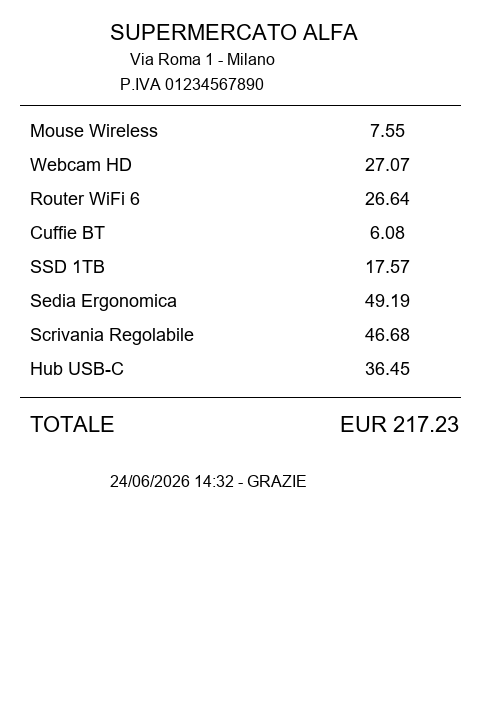
Show PAIS a photo.
It understands what's inside.
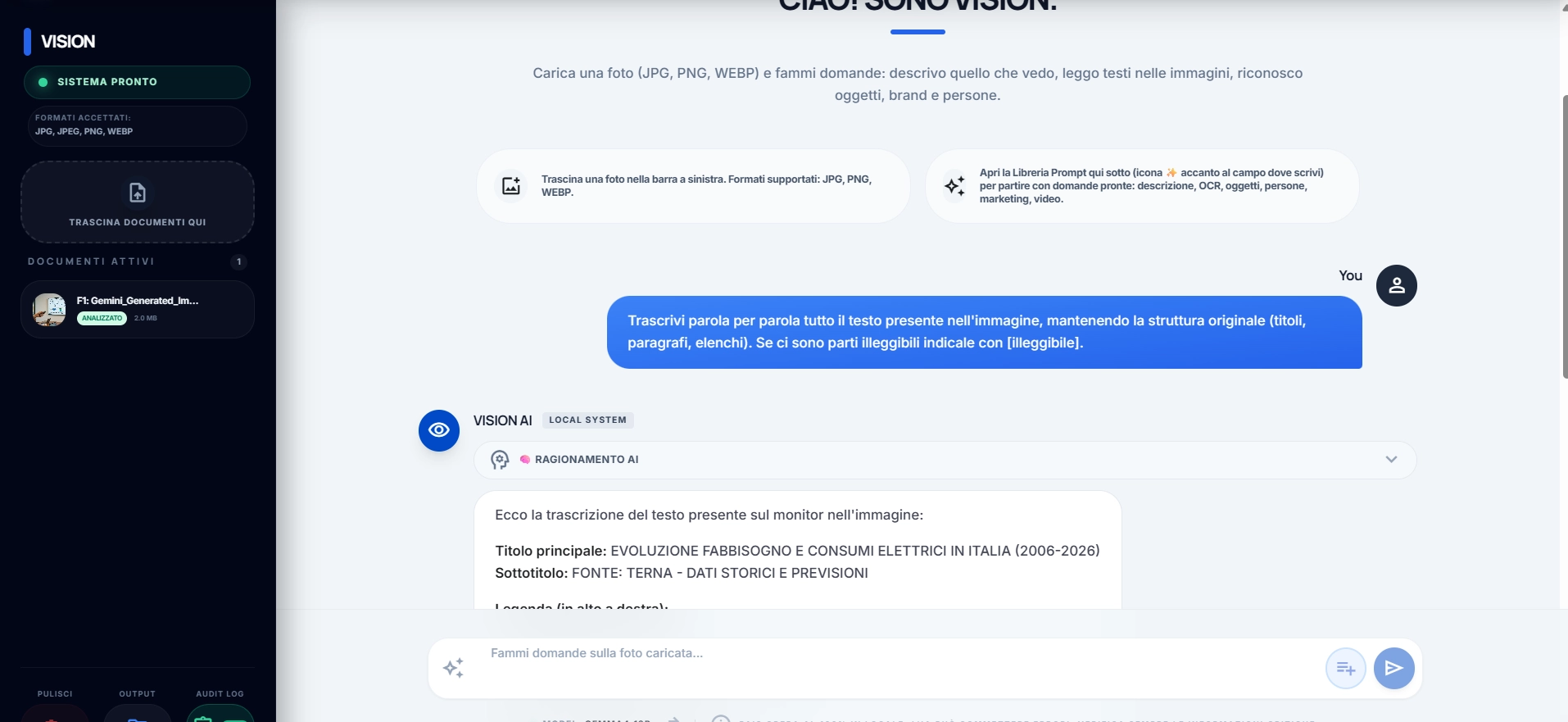
Drag in an image and Vision describes, recognizes what it contains and extracts the text and data inside — invoices, receipts, charts, handwritten notes. The extracted text goes straight to Interrogate, ready to query. All on your computer — Vision, too, is free forever.
- 1Describes and recognizes — tells you what's in the photo: objects, scene, context.
- 2Extracts text and data — invoices, receipts, charts and handwritten notes.
- 3Hands off to Interrogate — the extracted text becomes instantly queryable.
Your photos never leave your PC · works offline · no sign-up


Manipulate · pro module
Excel that works itself: transforms, charts, lays out.
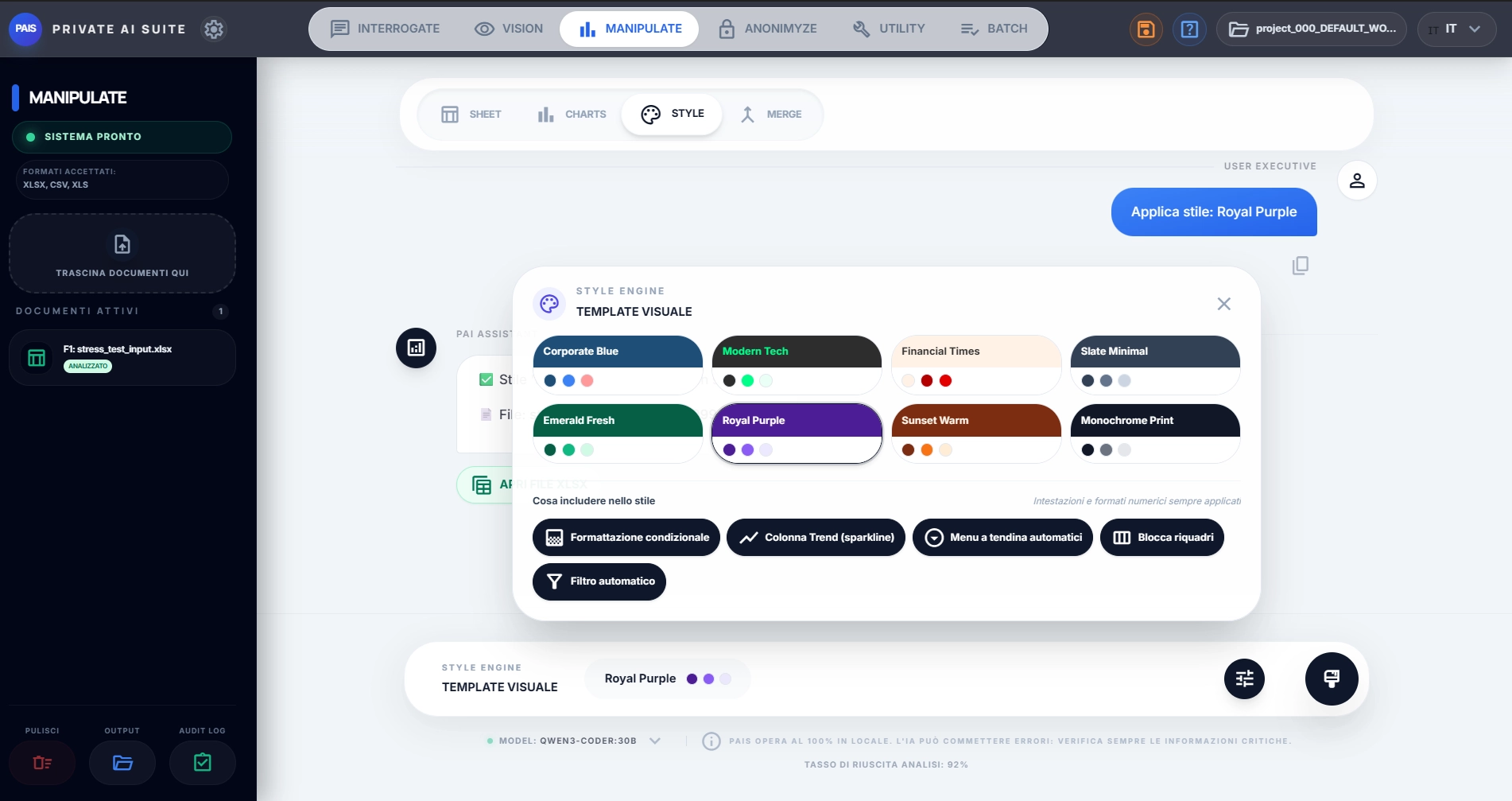
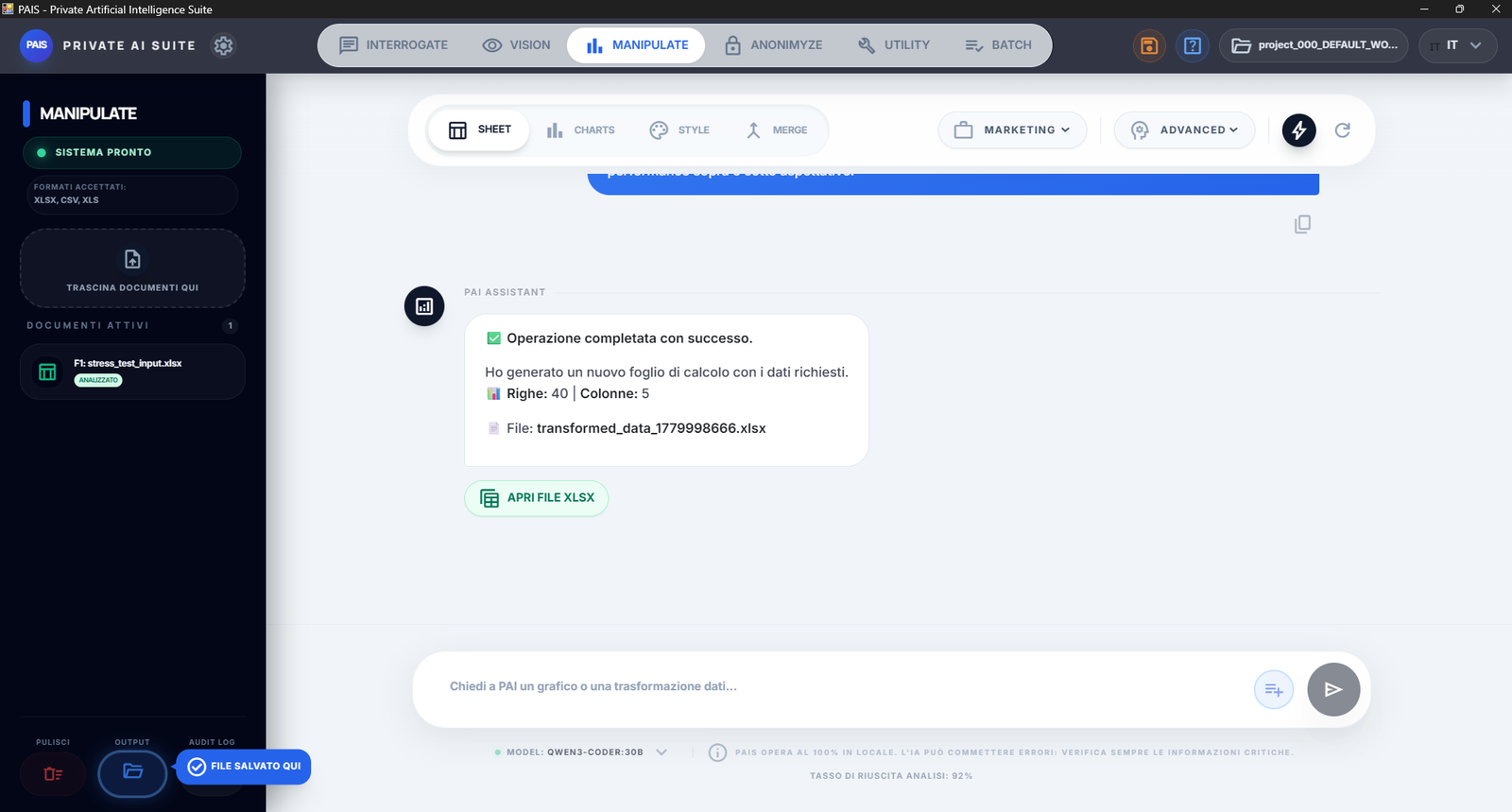
Talk to your spreadsheet in plain English. Manipulate computes margins, aggregates by category, filters and builds new tables — and hands you back a ready-made .xlsx.
Then it generates the right chart and applies a professional visual template (Financial Times, Corporate Blue, Royal Purple…) styling. All local, on your own data.
Sheet

Charts
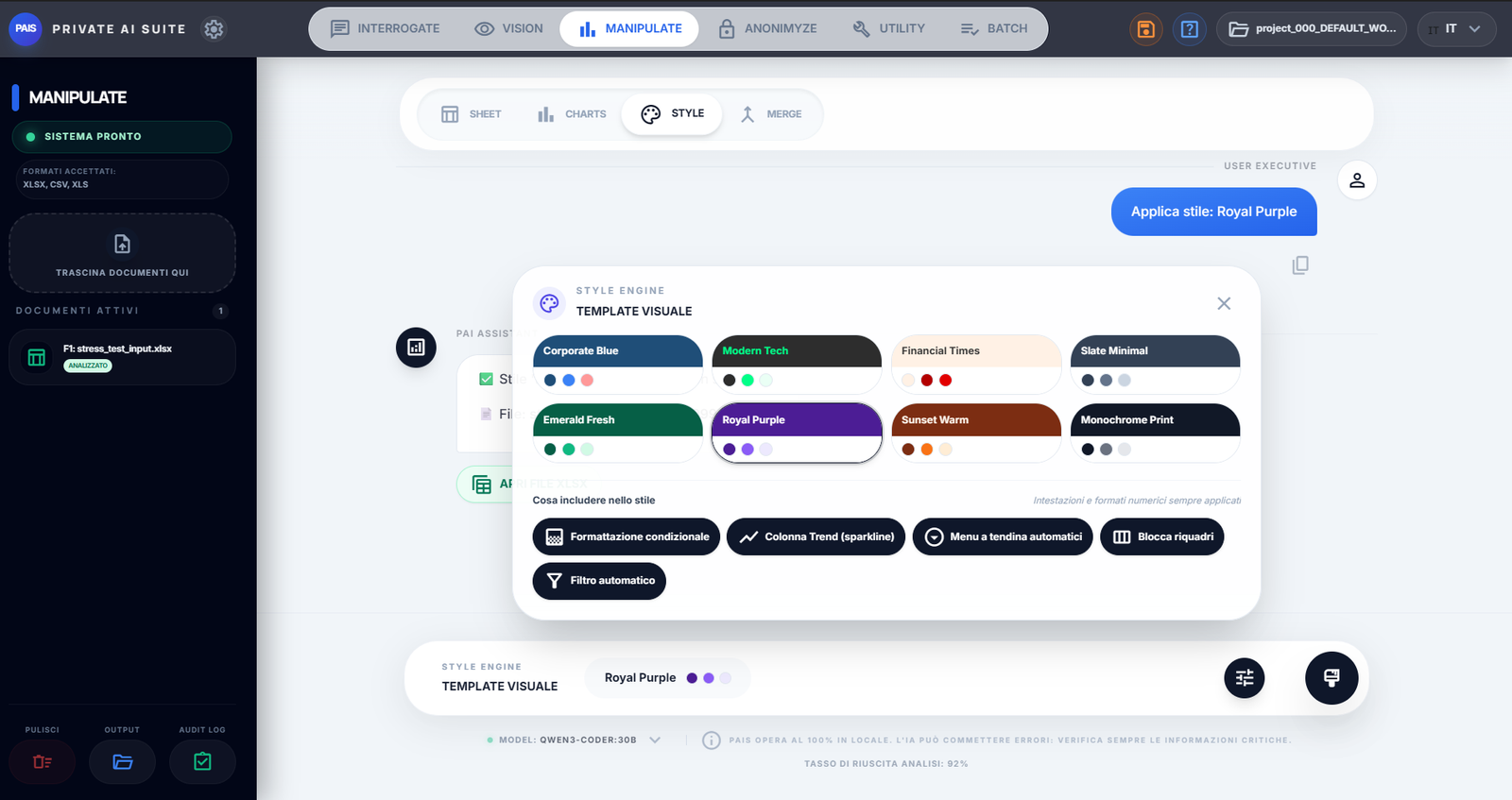
Style
Anonimyze · pro module
The big online models are powerful.
Anonimyze lets you use them safely.
PAIS works locally. But when you need the power of ChatGPT, Claude or Gemini, Anonimyze prepares the document for you: it anonymizes sensitive data and wipes the metadata hidden in the file — automatically.
You upload only the cleaned-up version. You get the big models' analysis without leaking names, numbers or hidden traces.
contract.docx → Anonimyze
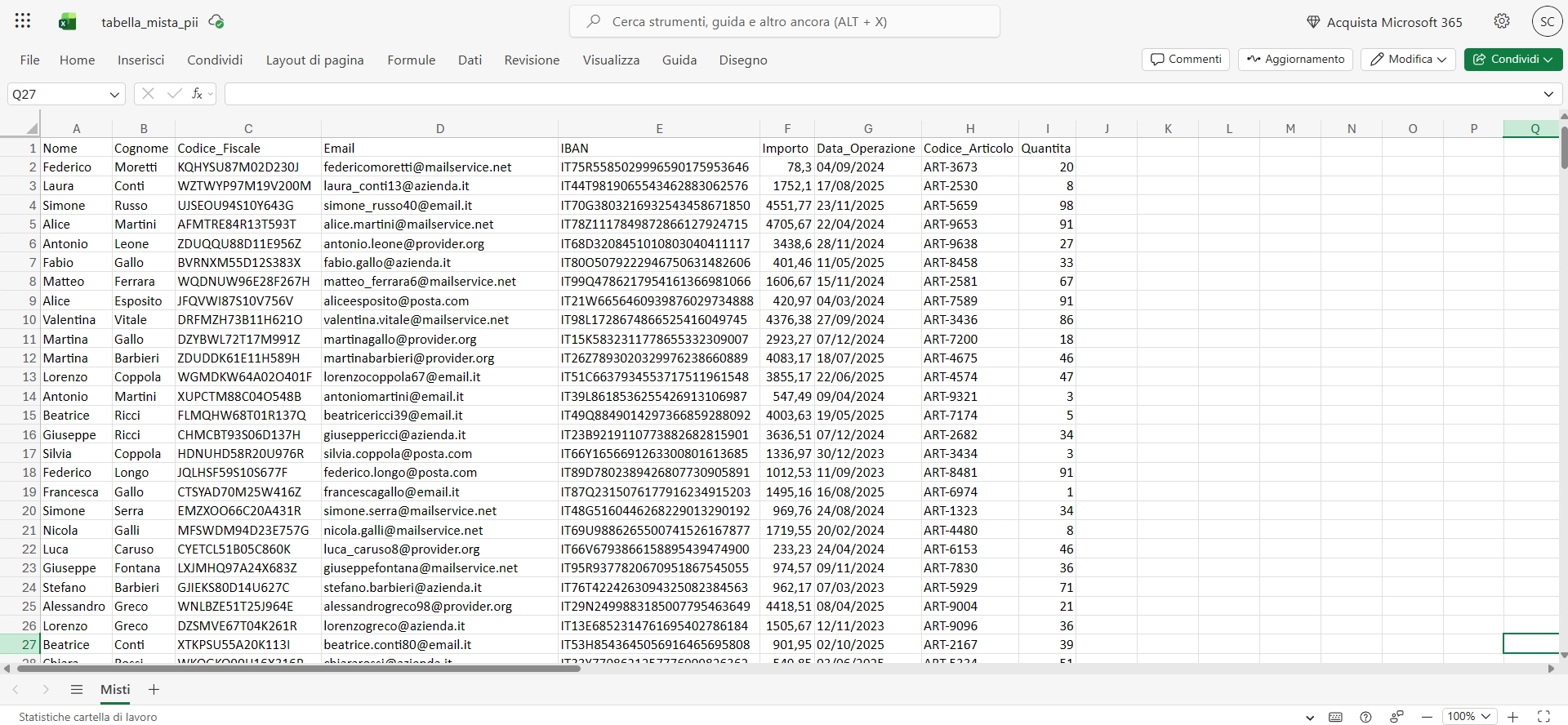

What it actually does
What Anonimyze does: 2 things at once, in one click.
It doesn't just mask names: it cleans the file inside and out, and always leaves you a way back.
Data
Sensitive data anonymized
Names, tax IDs, VAT numbers, IBANs, emails, addresses: recognized and replaced with labels. You decide what to hide.
Metadata
Metadata removed automatically
Author, GPS location, revisions, software and hidden dates: the invisible traces in the file vanish before you share it.
Vault
Reversible, with a local vault
The “real value ↔ label” map stays in an encrypted vault on your PC. When the document comes back, you restore the originals.
Cloud
Ready for the big models
Upload only the cleaned file to ChatGPT, Claude or Gemini: the power of the cloud, without exposing confidential data.
All in one go
Open a single app. Do all of this.
Summarizes documents
Writes emails and drafts
Translates text
Compares two documents
OCR on scans
PDF to Word
Fills in Excel tables
Creates charts
Styles your Excel files
Analyzes photos and receipts
Anonymizes sensitive data
Cleans up metadata
Replies on Telegram
Creative writing
Mail Merge
Extracts data from invoices
Generates formulas
Reviews contracts
Catalogs your PDFs
Generates QR codes
Rewrites text
Bulk-renames files
Creates custom templates
Creates quizzes
And tomorrow? New modules, same knife: try everything for 15 days and the core modules stay free forever.
How free is it, really
Try everything. The core stays free forever.
15 days with everything unlocked, no credit card. When it ends the app doesn't die: Interrogate, Vision and the core Utility tools stay free forever — the rest unlocks with a PRO license.
| Feature | Trial · 15 days | Free · forever | PRO |
|---|---|---|---|
| INTERROGATE — document chat, RAG, OCR of scanned PDFs | ✓ | ✓ | ✓ |
| Export answers (PDF, Word, PowerPoint, HTML, text) | ✓ | ✓ | ✓ |
| Compare two documents — on screen | ✓ | ✓ | ✓ |
| VISION — image/photo analysis, text and data extraction | ✓ | ✓ | ✓ |
| UTILITY — OCR, Translation, Catalog, Rename, Convert, QR, Sanitize, PDF Toolkit | ✓ | ✓ | ✓ |
| MANIPULATE SHEET — Excel/CSV analysis, charts, merge, styling, code | ✓ | — | ✓ |
| ANONIMYZE — mask/restore personal data (XML/JSON too) | ✓ | — | ✓ |
| BATCH — automatic queue + folders + job-done notifications | ✓ | — | ✓ |
| TELEGRAM BOT — PAIS from your phone | ✓ | — | ✓ |
| Integrations (Email/Telegram: notifications + export delivery) | ✓ | — | ✓ |
| Integrity audit on exports | ✓ | — | ✓ |
| Compare → deliverable (Word redline + Excel table) | ✓ | — | ✓ |
✓ included · — not included · no credit card required for the trial
Zero terminal
The right models for your PC, installed in one click.
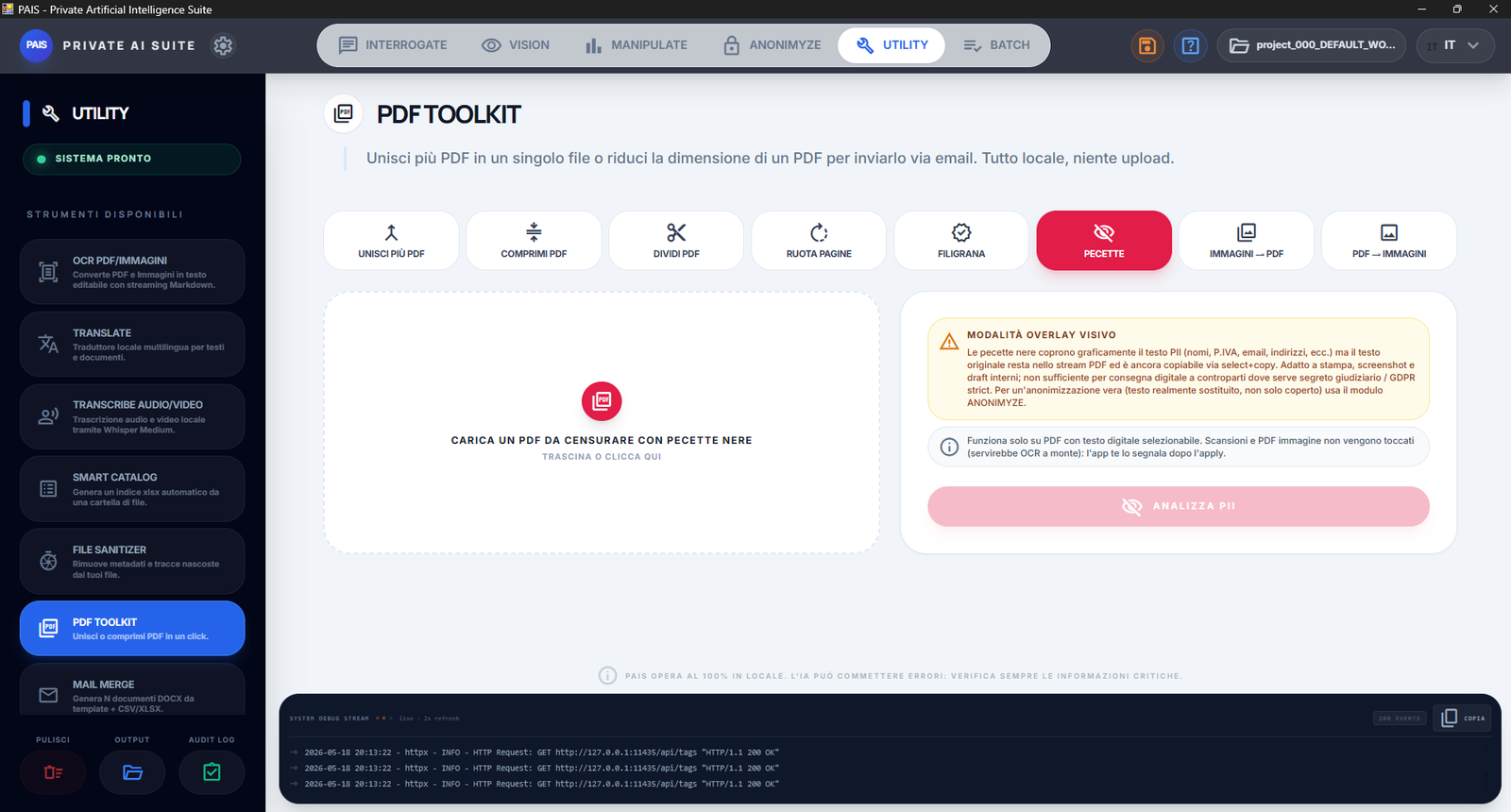
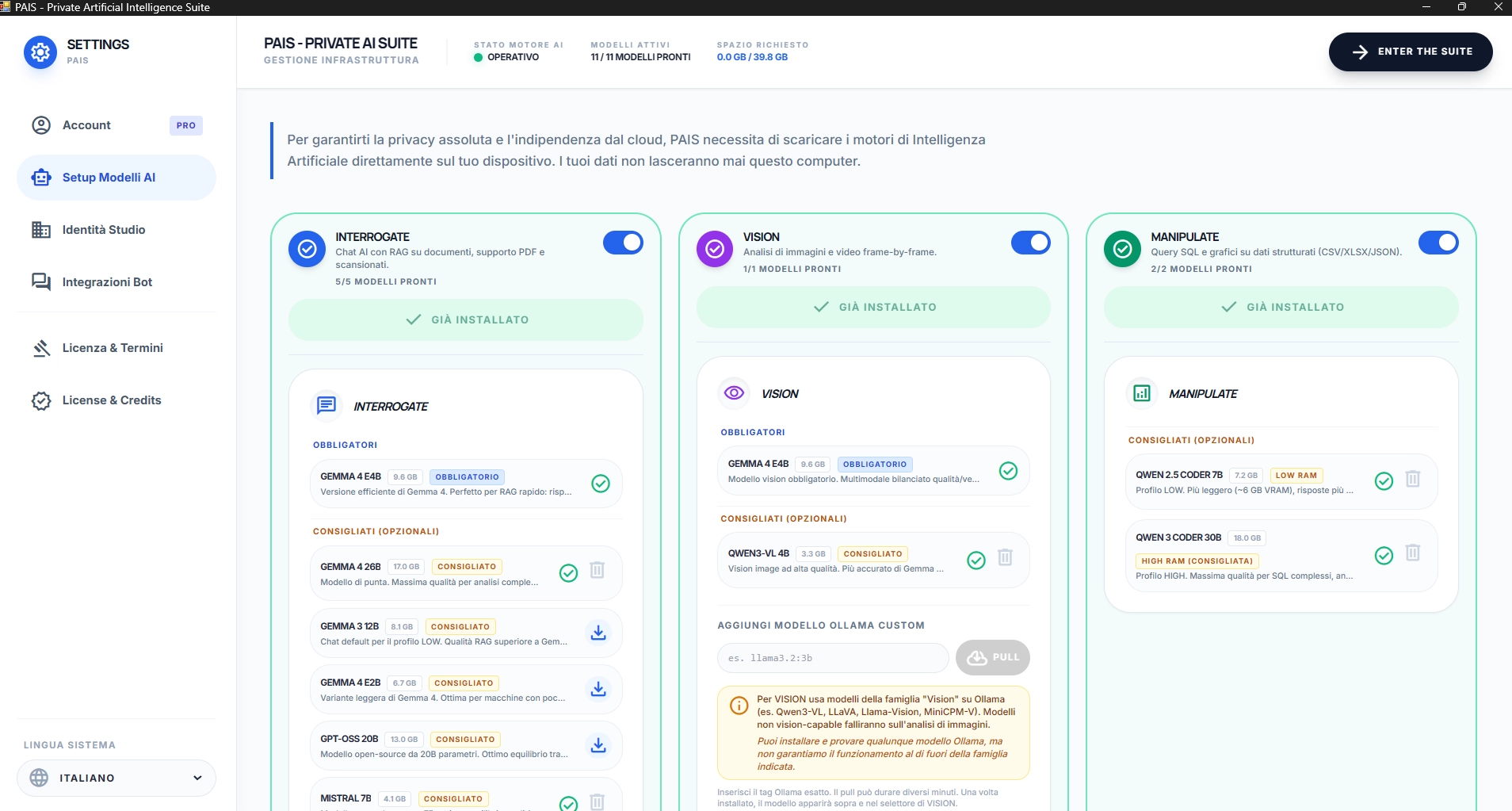
PAIS looks at your graphics card and recommends models tailored to it — Gemma 4, Qwen3-VL and more — then downloads and configures them on its own.
No command lines, no Ollama to tame. Pick a performance profile (Auto / Low / High) and off you go: 12 models out of 12, ready.
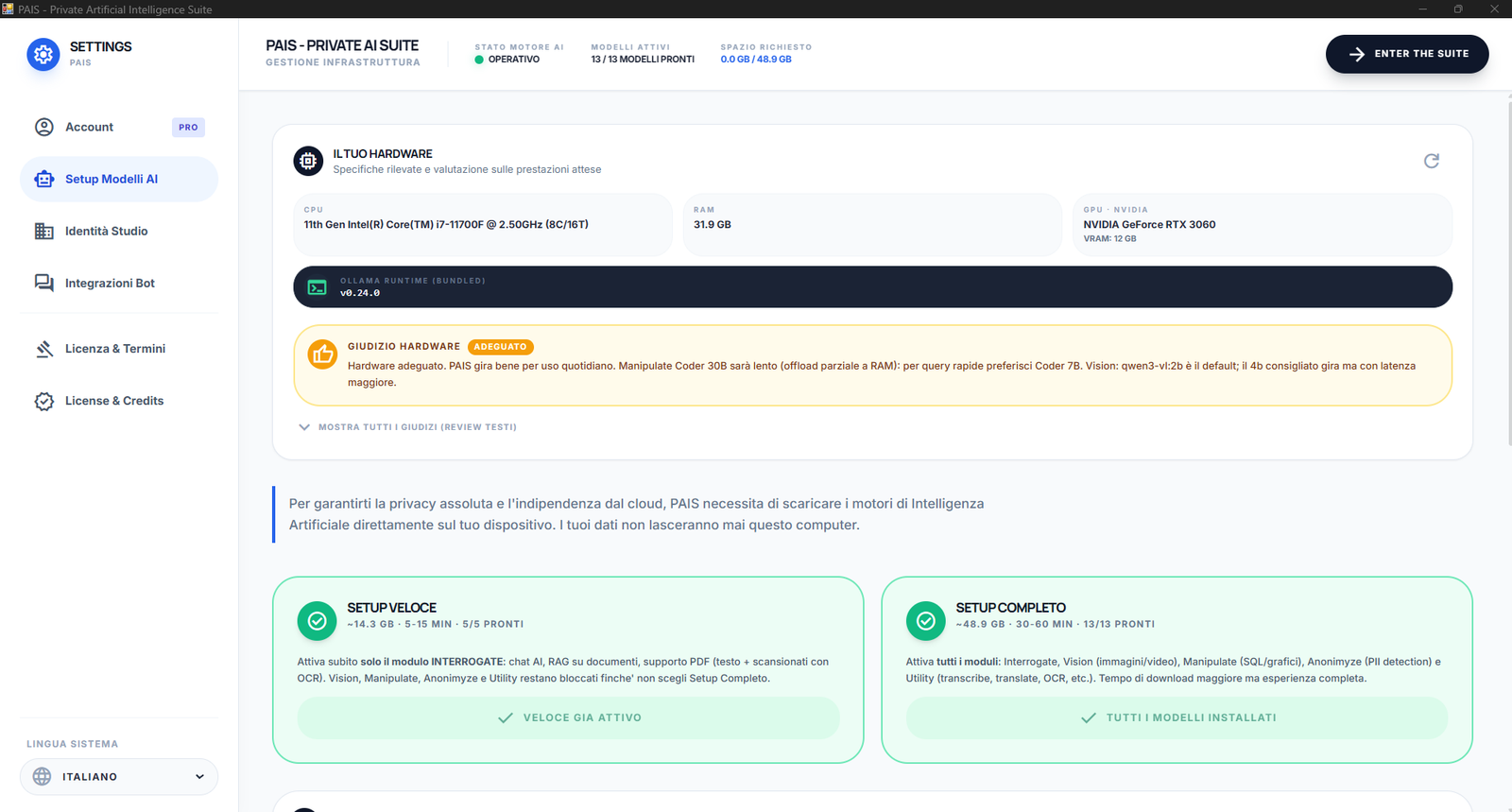
AI Models Setup
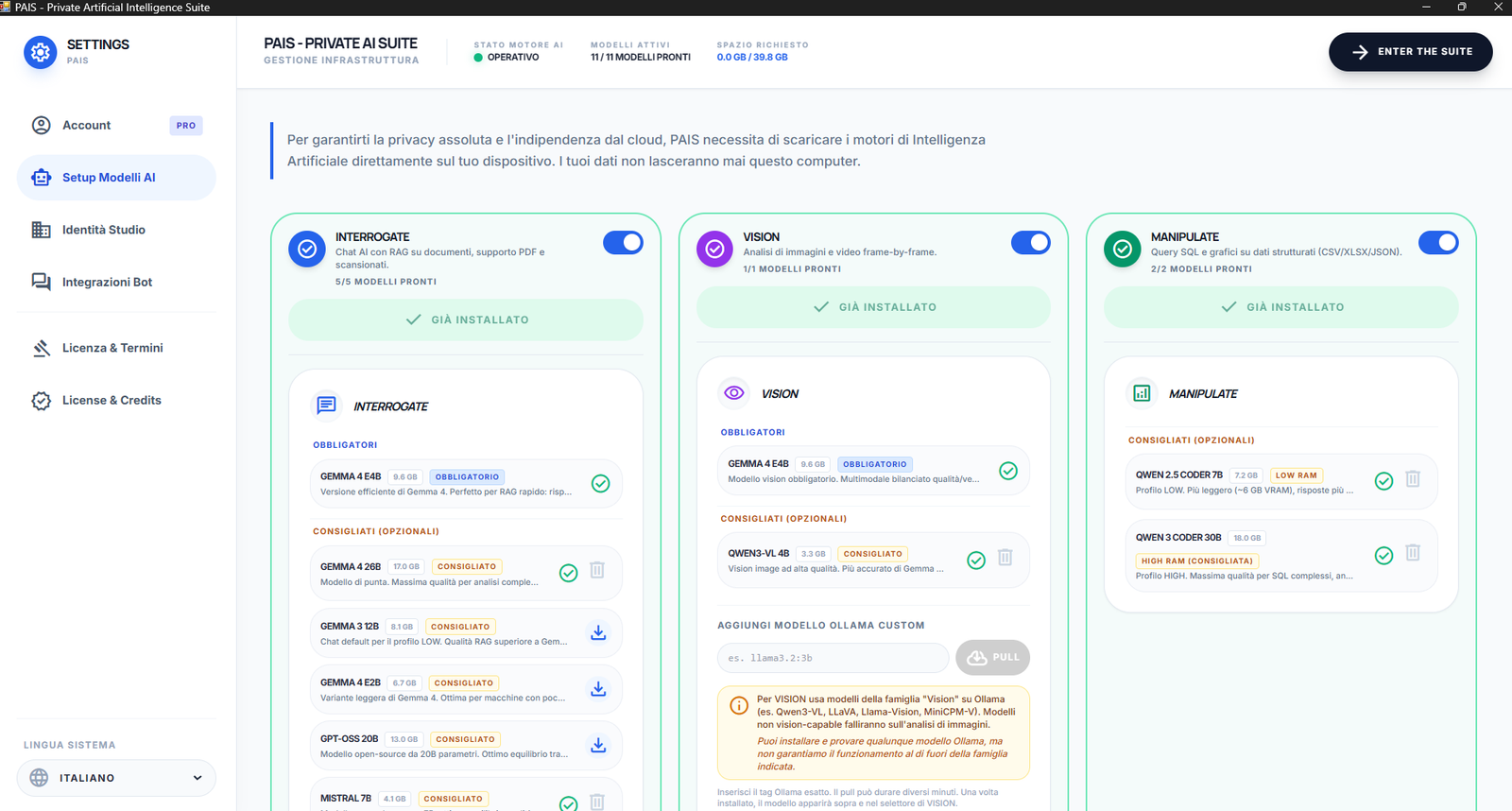
Models
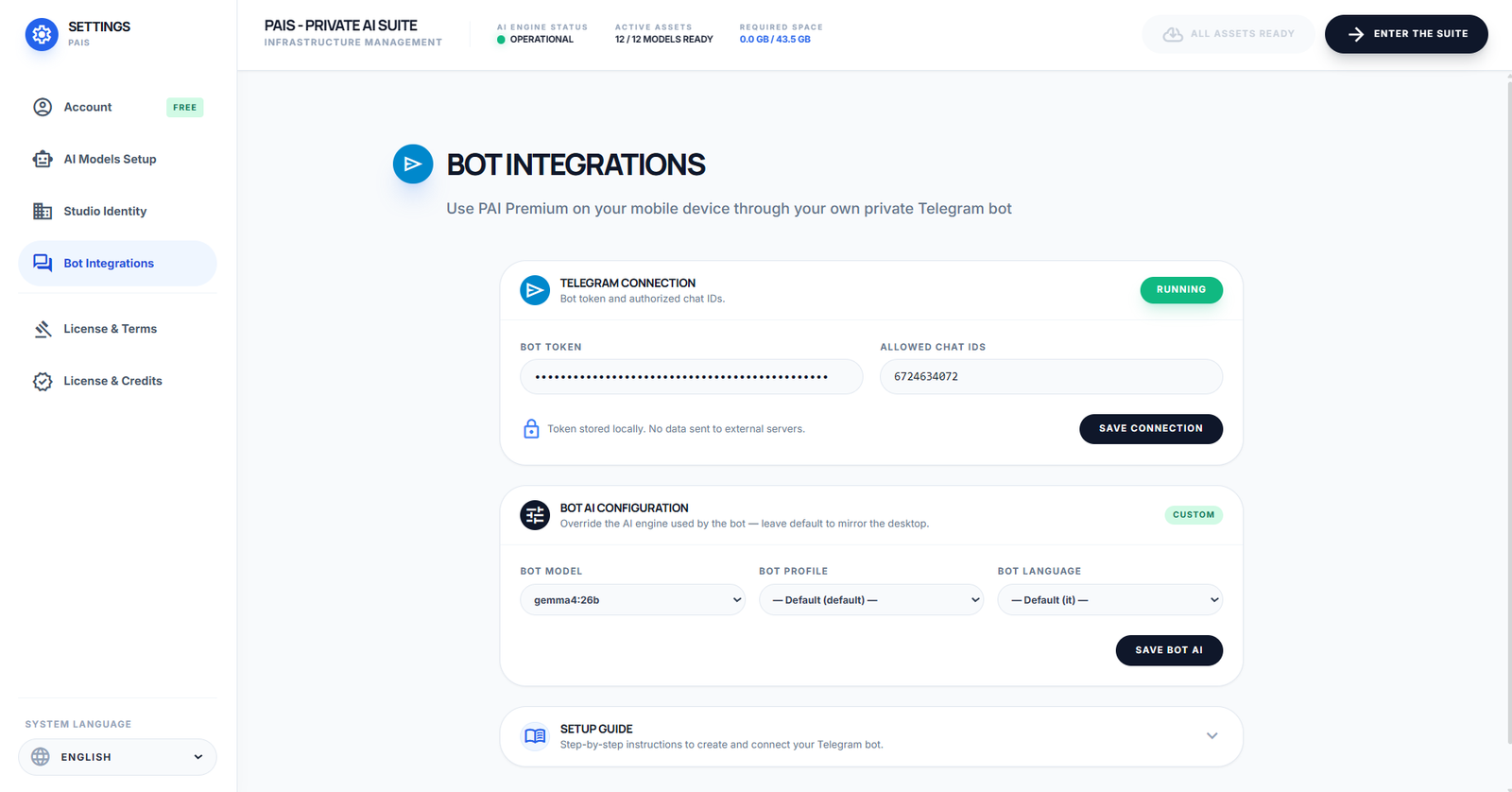
Bot Integrations
PAIS in your pocket · via Telegram
Your private AI from your phone, too.
Connect your own personal Telegram bot and use PAIS anywhere: ask a question, upload a document, get the answer — right from your phone.
A Swiss Army knife for the office
A blade for every hassle of the day.
The little things that eat your time — fixing a PDF, translating, searching through a thousand files — one app handles them all. In plain English, offline, without hopping from one site to another.
Fix your PDFs
Merge, split, compress and sign in one click.
Scrivi
Drafts in 10 seconds
Emails, letters and minutes: start from a draft, not a blank page.
Traduci
80+ languages
Translate whole documents while keeping the layout.
Confronta
Two versions → differences
What changed between two documents, highlighted and summarized.
Photo → text
OCR from scans
Extract text from photos and scans, tables included.
Riassumi
The gist in a minute
80 pages boiled down to the 5 points that matter.
Cerca
Ask your files
Ask your documents questions and get answers with citations.
Ordina
Files in order
Rename and archive hundreds of files in one go.
One window, not ten tabs
Stop collecting tools, subscriptions and open tabs.
Today, getting office work done means jumping between a PDF converter, a web translator, an online OCR, a paid chatbot — and every time you upload your files to someone else's server.
PAIS puts them all in a single app, running on your PC. One window, zero subscriptions for everyday features, and documents that never leave your computer.
What you keep open today
- ✕Online PDF converters
- ✕Paid web translator
- ✕Cloud OCR service
- ✕Scans uploaded to a server
- ✕AI chatbot with a monthly fee
- ✕Ten browser tabs open
↓ one single app
PAISall of this — offline and free on the core
A typical day
From 9 to 6, without switching windows.
This isn't a trade-show demo: it's the real work of an ordinary desk. Same app, morning to night.
9:00
Start the day
“Summarize the 40-page contract that came in overnight and flag the odd clauses.” Answer with citations, in two minutes.
11:30
After the call
“Compare this contract with the previous version.” Differences highlighted and summarized, without rereading everything.
14:00
Documents for abroad
“Translate the presentation into French, slide by slide.” Same file, same layout, another language.
17:30
Before you clock off
“Merge and compress the PDFs to attach, then rename and file everything.” A tidy desk in one click.
The question you always ask
Really free? Yes. And here's how.
The modules for everyday use — document chat, images, the toolbox — are free forever, with no tricks and no expiry. We only make money from the few who use the advanced professional modules.
That way the app stays free for most people, and those who really work with it keep it going. Honest and simple.
No subscription for the core
Download, use, done. No account, no card, no monthly fee for everyday features.
Your data stays yours
Everything runs on your computer. No cloud, no telemetry. You can even unplug the internet: it works just the same.
No “subscription ended”
The AI models stay installed and yours. The app never shuts off: the core modules stay free no matter what.
Three steps
From download to your first “wow” in an afternoon.
No technical skills needed. If you can install an app and type a message, you already know how to use PAIS.
01
Install the app
Simple install for Windows and macOS.
02
Click “Install what's needed”
The app looks at your PC, picks the right models and downloads them on its own. You grab a coffee.
03
Type in plain English
“Summarize this PDF for me,” “translate this letter,” “extract the text from this photo.” And PAIS does it for you.
0 €
for the everyday modules. Forever.
0
command lines. Never opened a terminal.
0
bytes sent to the cloud. Everything stays with you.
∞
questions to the AI. No limits, no paid tokens.
Using it for work (or study) too?
If you handle confidential data, there's a version that speaks your language.
The professional modules — data analysis, anonymization, document comparison — are built for anyone who needs absolute privacy. Choose your world.
Firms & tax
Accountants
Financials, records →
Legal
Lawyers
Contracts, filings →
Health
Healthcare & psychologists
Reports, sessions →
Business
Regulated SMEs
Operational data, teams →
Study & research
Teachers & students
Papers, theses, exams →
At the office
At work without AI
Mail, reports, PDFs →
Honest pricing
Start free. Pay only if you need the pro modules.
For 15 days you get everything unlocked. After that, the core modules stay free forever — you only pay for the pro modules: Manipulate, Anonimyze, Batch, Telegram Bot and the Utility extras.
For most people
Free
0 € forever
All the essentials, at no cost, with no expiry.
- Document chat (with citations)
- Photo analysis and OCR
- 13 tools: PDF, translations, OCR, QR…
- Local AI models managed for you
- No usage limits
Personal
36 € / year
For those who want the pro modules too. ~€2.17/month.
- Everything in Free, plus:
- Manipulate — Excel analysis in plain words
- Anonimyze — GDPR privacy with a vault
- Compare, Batch, Telegram Bot
- 1 device · updates included
Professional
150 € / year
For freelancers and firms with a VAT number.
- Everything in Personal, plus:
- Electronic invoicing via SDI
- License for 2 devices
- Priority support (48h)
Payment handled by Lemon Squeezy · 14-day refund · VAT included
Honest questions
The answers you're looking for.
Is it really free, or is there a catch?+
Really free. The everyday modules (document chat, images, the core tools) are free forever with no daily limits. You only pay if you want the advanced professional modules (Manipulate, Anonimyze, Compare, Batch). No card required to start.
What is “local AI” and why would I want it?+
It means the artificial-intelligence models run on your computer, not on some distant server. The upside: it's free and unlimited (no pay-per-use), it works offline, and your data never leaves your PC. PAIS downloads and manages these models for you — via Ollama too — without you ever having to touch the terminal.
Do I need a powerful computer?+
Yes, a little. For smooth performance you'll want a PC with a dedicated graphics card (e.g. an NVIDIA GPU with at least 8 GB + 16 GB of RAM). On computers without a dedicated graphics card it still works, but much slower and with very long response times. If you have a Mac, it should be from the M2/3/4/5 family with at least 16 GB (24 or more recommended). The minimum requirements are of course identical to those required by Ollama, which you can check at this link: https://docs.ollama.com/gpuhttps://docs.ollama.com/gpu
Do I need to be good with computers?+
No. No terminal, no commands. You install the app like any other program, click a button to download the models, and then type your requests in plain English.
Does my data end up somewhere?+
No. Everything is processed on your computer. No cloud, no telemetry, no account. After installing, you can even unplug the internet and keep using it.
Can the AI get things wrong?+
Yes, like any AI. For important things, always check the result. PAIS cites its sources precisely to make verification quick.
Your graphics card isn't just for gaming.
Turn it into a private, free AI. Download PAIS, click a button, and in one afternoon you'll have artificial intelligence running at home.
Free forever on the core modules · no card · no cloud